Accessibility at Westwood Investments
Our Commitment to Accessibility

Westwood Investments is committed to ensuring digital accessibility for everyone. We continually strive to improve the user experience for all visitors to our website, adhering to the Web Content Accessibility Guidelines (WCAG) 2.1 Level AA standards. We believe that everyone, regardless of ability or disability, should have equal access to our online content and services. Our dedication extends beyond compliance; we aim to create a truly inclusive online environment that empowers all users to achieve their financial goals.
Our commitment is driven by the belief that accessibility is not just a technical requirement, but a fundamental right. We are investing in ongoing training for our staff to ensure that accessibility is integrated into all aspects of our digital presence, from design and development to content creation and maintenance. We welcome feedback from our users to help us identify areas for improvement and ensure that our website remains accessible to all.
Accessibility Features
We have implemented several features to enhance the accessibility of our website:
- Alternative Text: Descriptive alternative text is provided for all images and non-text elements.
- Keyboard Navigation: Our website is fully navigable using a keyboard.
- Screen Reader Compatibility: We have optimized our website to be compatible with screen reader software.
- Text Resizing: Users can easily adjust the text size using browser settings.
- Sufficient Color Contrast: We have ensured that there is sufficient color contrast between text and background colors.
- Clear and Consistent Navigation: Our website features a clear and consistent navigation structure.
- Form Labeling: All form fields are properly labeled to provide clear instructions to users.
- Semantic HTML: We use semantic HTML elements to structure our content logically.
| Feature | Description | Implementation Details |
|---|---|---|
| Alternative Text | Descriptive text for images | All images have alt attributes providing context. |
| Keyboard Navigation | Full website navigation via keyboard | Tab order is logical and focus indicators are visible. |
| Screen Reader Compatibility | Optimized for screen reader software | ARIA attributes used to enhance screen reader experience. |
| Text Resizing | Users can adjust text size in browser | Relative font sizes used to allow scaling. |
| Color Contrast | Sufficient contrast between text and background | Contrast ratios meet WCAG 2.1 AA standards. |
Keyboard Navigation
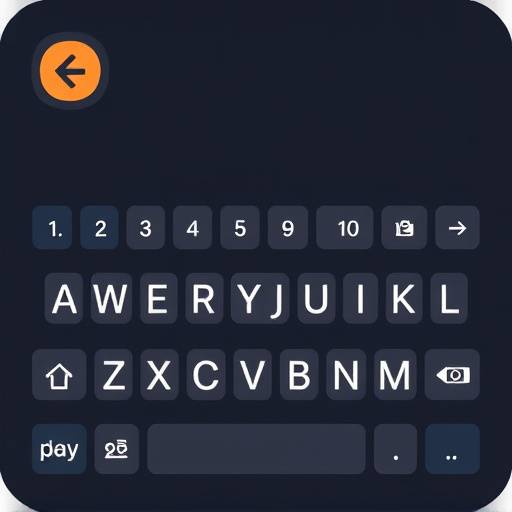
You can navigate our website using only a keyboard. Use the Tab key to move forward through interactive elements, and Shift + Tab to move backward. Use the Enter key to activate links and buttons. We have ensured that the focus order is logical and intuitive.
For complex elements such as menus, arrow keys can be used to navigate within the menu. For forms, use the Tab key to move between fields, and the Enter key to submit the form. We continuously test keyboard navigation to identify and fix any potential issues.
Screen Reader Compatibility

Our website is designed to be compatible with popular screen reader software such as NVDA, JAWS, and VoiceOver. We have used ARIA attributes to provide additional information to screen readers, ensuring that users can easily understand and interact with our content. We regularly test our website with screen readers to identify and address any accessibility issues.
We have implemented features such as skip links to allow users to bypass repetitive content, and we have structured our content using semantic HTML to improve the screen reader experience. We also provide transcripts for audio and video content to ensure that users with hearing impairments can access the information.
Text Resizing
You can easily adjust the text size on our website using your browser's built-in zoom functionality. To increase the text size, press Ctrl + + (Windows) or Cmd + + (Mac). To decrease the text size, press Ctrl + - (Windows) or Cmd + - (Mac). To reset the text size to the default, press Ctrl + 0 (Windows) or Cmd + 0 (Mac).
Our website uses relative font sizes, which means that the text will scale proportionally when you adjust the zoom level. This ensures that the text remains readable and that the layout of the page is not disrupted.
Contrast Options
We strive to provide sufficient color contrast throughout our website. The current contrast ratio meets WCAG 2.1 AA standards. For users who prefer higher contrast, operating systems and browsers provide contrast settings to increase system-wide contrast which will enhance the website contrast as well.
Feedback Form
We welcome your feedback on the accessibility of our website. If you encounter any accessibility barriers, please let us know.
You can also contact our accessibility team directly at accessibility@westwoodinvestments.ca or by calling us at 416-555-0101. Our accessibility coordinator is Amelia Chen, and she will be happy to assist you with any questions or concerns.